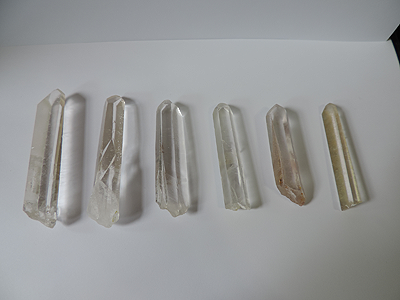
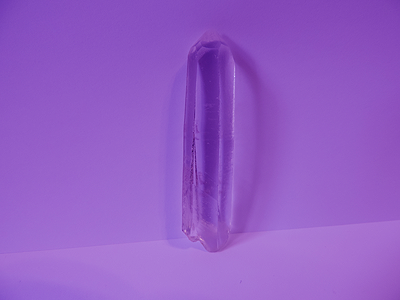
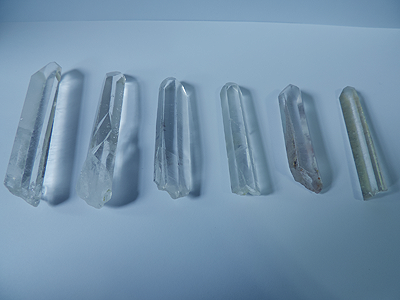
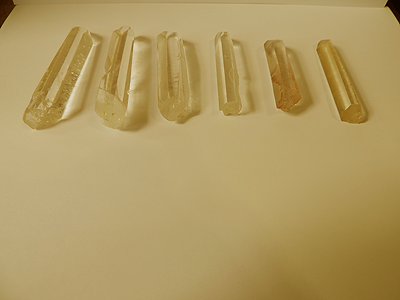
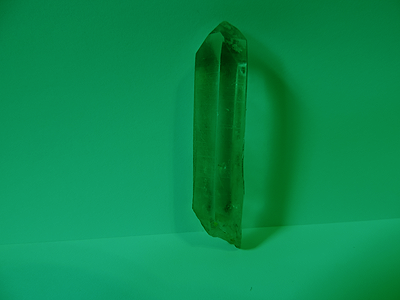
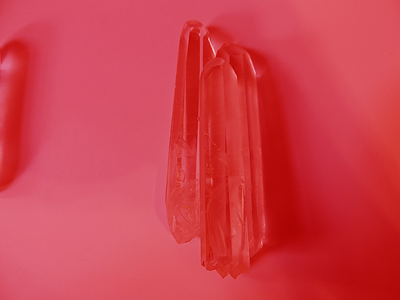
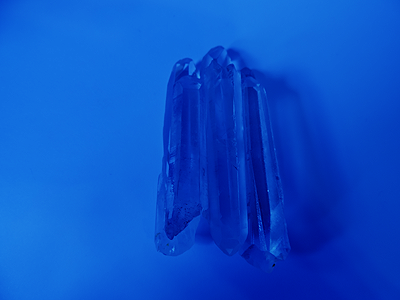
I have some quartz points, so I decided to take some photos of it for you guys to use as stock! I've also added a few different colour variations to make your guys lives a little easier. Note: these colour variations aren't identical to what the actual crystals look like, but they make for good replicas and nobody can really tell the difference once it's used in a photomanip. The zip contains variations for Clear (Quartz), Amethyst, Aquamarine, Citrine, Ruby, Emerald and Sapphire. Note: the zip file has a bunch of large images, so it may take a few minutes to download. Examples below:
RULES
These are photos taken by me, so this stock belongs to me. You are welcome to use this stock in your photomanipulations, modify it, tinker with it, chop it up, whatever. Ideally, I'd like to see it mostly used here on Origin. If you intend to use it elsewhere (posting it on dA, other rpg forums, etc) just let me know! You don't have to credit me if you're using it on Origin, but if you do post it anywhere else, crediting my dA (ladytrupp) would be a super nice thing to do! Also: not necessary, but if you do use my stock at all, totally show me! I'd love to see my stock in action :D
TIPS & TRICKS
I haven't cut out the quartz points because lazy, but here's some tips:
- If you're using photoshop, use the Polygonal Lasso Tool. It makes selections as straight lines, and as these points are mostly straight cut, all you need are straight lines to cut them out. This tool will make your lives a billion times easier.
- To change the colours of the points, don't tinker with Hue/Saturation. Use the Variations tool, or use colour overlays! Colours will be deepest on the darkest parts of the crystals, and lightest/more white on the lighter parts of the crystals. Crystals are translucent, so remember: the more crystal there is, the deeper the colour will be.
- Stack crystals to make some cool crystal clusters!
- Paint in some white shiny gleams to add a touch of realism, especially on facets that are facing a light source.
Ready to make some cool crystal manips?
Click me to download a ZIP file containing the stock images!